How to Create Product Videos Without Filming: 6 AI-Powered Methods
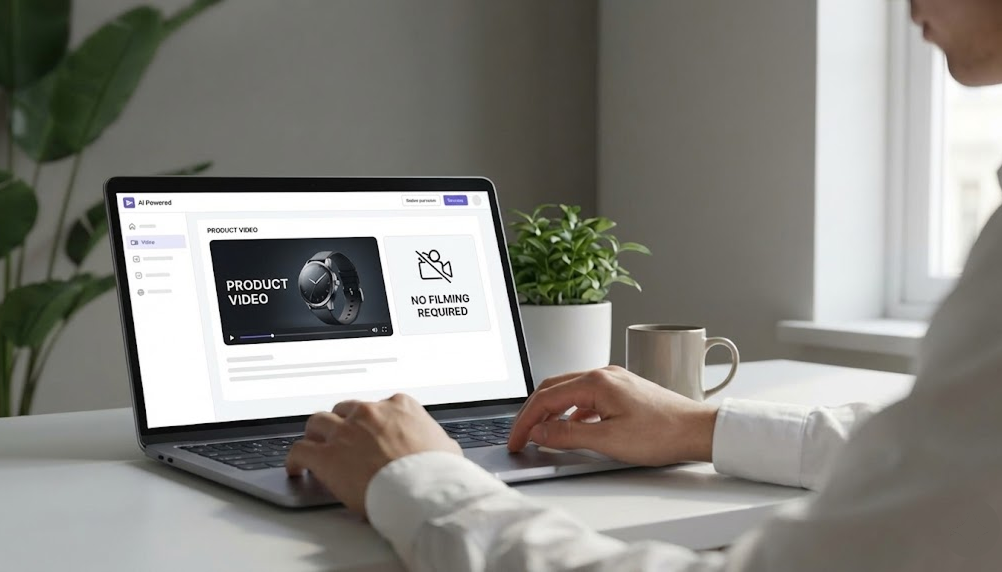
Learning how to create product videos without filming is no longer a nice-to-have skill; it's essential for e-commerce survival. Traditional video production requires cameras, lighting, studios, talent, and editing expertise that most small businesses simply can't afford or access.
The good news is AI-powered video creation has completely eliminated the need for filming equipment. You can now produce professional, high-converting product videos using nothing but product images, descriptions, and AI technology.
This guide reveals seven proven methods for creating product videos without ever picking up a camera, along with real-world examples, budget breakdowns, and a quick-start checklist to get you producing videos this week.
Why Traditional Filming Doesn't Work for Most E-Commerce Brands
Before we dive into the solutions, let's acknowledge why traditional video production fails for most online businesses:
Cost Barriers: Professional video production costs $1,000-$5,000 per video. Even AI video production companies start at $10,000. For a catalog of 50 products, that's $500,000-$2,500,000.
Time Constraints: Traditional production takes 2-4 months per video. You can't respond quickly to trends, seasons, or inventory changes.
Technical Complexity: Filming requires specialized equipment, technical knowledge, and post-production skills most marketers don't have.
Scaling Impossibility: Adding products to your catalog means scheduling new shoots, which creates bottlenecks in your product launch process.
Inconsistency Issues: Different videographers, lighting conditions, and editing styles create brand inconsistency across your video library.
Most e-commerce brands either skip video entirely or create a handful of videos that quickly become outdated.
Method 1: AI-Powered Product Image Animation
How It Works: AI analyzes your static product images and automatically adds motion, zoom effects, and transitions to create dynamic video content.
Best For: Products with high-quality product photography already available.
What You Need:
- High-resolution product images (minimum 1080px)
- Product descriptions or key features
- Brand colors and logo
The Process:
- Upload 3-5 product images from different angles
- AI analyzes the images and identifies key product features
- Select animation style (smooth zoom, pan, rotate, or dynamic)
- AI generates video with professional transitions and effects
- Add text overlays highlighting features or benefits
- Export in multiple aspect ratios for different platforms
Budget: $0-$50 per video with AI tools vs. $1,500-$3,000 for traditional filming
This works if you have a very basic and minimalist type of aesthetic so the prompt engineering can be simple. No storytelling or narration as that adds another layer of complexity and editing. Trial and error remains the only way to refine the video to a standard worthy of publishing.
Pro Tip: Use images with clean backgrounds for best results. AI struggles with busy or cluttered product shots.
Method 2: Text-to-Video AI Generation
How It Works: You provide a text description of your product and its benefits, and AI generates a complete video including visuals, animations, voiceover, and music.
Best For: Products that benefit from storytelling or explanation rather than just visual display.
What You Need:
- Product description (100-300 words)
- Key features and benefits list
- Target audience information
- Brand voice guidelines
The Process:
- Write a compelling product description or script
- Input text into AI video generator
- AI selects relevant stock footage, animations, or generates visuals
- AI creates voiceover from your text
- AI adds background music and transitions
- Review and adjust pacing or visual selections
- Export final video
Budget: $100 + per video vs. $2,000-$5,000 for scripted video production
This works if you are moderately good at prompt engineering and understands how to refine each prompts to get the outcome you want.
Pro Tip: Write your text in short, punchy sentences. AI video generators work best with clear, concise copy that translates well to visual storytelling.
Method 3: User-Generated Content Compilation
How It Works: AI aggregates and edits user-generated content (customer photos, unboxing videos, reviews) into polished product videos.
Best For: Products with strong customer communities and existing UGC.
What You Need:
- Customer photos and videos (from social media, reviews, or submissions)
- Usage rights or permissions
- Brand guidelines for editing
The Process:
- Collect UGC from customers (Instagram tags, email submissions, review sites)
- Upload content to AI video editor
- AI identifies best clips and images
- AI edits together a cohesive video with transitions and music
- Add text overlays with customer quotes or product features
- Export with proper attribution to customers
Budget: $50-$200 per compilation video vs. $3,000-$8,000 for professional testimonial video shoots
This works when your brand has an existing community and user-generated content (UGC) that you can use for your marketing. Minimal production since the UGC is done for you. Make sure you have permission to use any content.
Pro Tip: Always get explicit permission from customers before using their content in marketing. Offer incentives (discounts, features) to encourage submissions.
Method 4: Template-Based Video Creation
How It Works: Use pre-designed video templates optimized for specific product categories, then customize with your products and branding.
Best For: Brands needing consistent style across multiple products or campaigns but not fussy about output.
What You Need:
- Product images and basic information
- Logo and brand colors
- Template library access
The Process:
- Browse template library by product category or use case
- Select template that matches your product type
- Upload your product images to replace template placeholders
- Customize text, colors, and music to match your brand
- AI handles all animation and timing automatically
- Export in needed formats and sizes
Budget: $20-$100 per video vs. $1,500-$4,000 for custom video design and production
This works if you are not fussy about the brand aesthetic and for basic informational content like announcing holiday closure of stores, or for very basic product videos. Canva offers a great variety of templates for such videos.
Pro Tip: Choose templates with colour schemes that are similar to your brand colours for consistency even when using templated options.
Method 5: AI Avatar and Voiceover Videos
How It Works: AI-generated presenters or avatars demonstrate or explain your products with natural-sounding voiceovers.
Best For: Products requiring explanation, demonstration, or personal connection.
What You Need:
- Product images or screen recordings (for digital products)
- Script or talking points
- Avatar selection (realistic human, animated character, or brand mascot)
The Process:
- Write your video script
- Select AI avatar that matches your brand personality
- Upload product images or demo footage
- AI generates avatar presentation with lip-sync and natural gestures
- AI creates voiceover in your choice of voice and language
- Add product visuals, text overlays, and graphics
- Export final video
Budget: $50-$150 per video vs. $2,500-$7,000 for on-camera talent and production
This works if you don’t mind writing a video script and then prompting the AI platform to create the avatar, and creating a separate voiceover for the video. The editing of the video is completed separately as well.
Pro Tip: AI avatars work best for informational or educational content. For emotional or lifestyle products, other methods may feel more authentic.
Method 6: Dynamic Product Showcase Videos
How It Works: AI creates cinematic product showcase videos with 3D effects, dramatic lighting, and professional motion graphics—all from 2D product images.
Best For: Premium products or hero videos for product launches.
What You Need:
- High-quality product images (multiple angles if available)
- Product specifications (dimensions, materials, features)
- Desired mood or style reference
The Process:
- Upload product images
- AI analyzes product and creates 3D model or depth map
- Select showcase style (elegant, energetic, minimalist, dramatic)
- AI generates cinematic camera movements and lighting effects
- Add feature callouts or specifications
- AI synchronizes motion with music beats
- Export in 4K or HD
Budget: $100-$300 per video vs. $15,000-$50,000 for 3D rendering and motion graphics production
This works if you have a high level of prompt engineering skills and are very adept at prompting the AI to create cinematic style videos.
Pro Tip: This method delivers the highest production value from static images. Use it for your most important products or campaigns where visual impact matters most.
Quick-Start Checklist
Ready to create your first product video without filming? Follow this checklist:
Week 1: Preparation
- Audit your product images (quality, angles, backgrounds)
- Write product descriptions or scripts for 5 priority products
- Gather brand assets (logo, colors, fonts)
- Research and select AI video tool based on your budget and needs
- Set up account and brand kit in chosen platform
Week 2: Production
- Create first test video using Method 1 (Image Animation)
- Review and refine based on brand alignment
- Create 4 more videos for priority products
- Export in multiple formats for different platforms
- Organize video library with clear naming conventions
Week 3: Deployment
- Add videos to product pages
- Create video ads for top products
- Post videos on social media channels
- Set up tracking for video performance metrics
- Document what works for future production
Week 4: Optimization
- Analyze performance data (views, engagement, conversions)
- Identify winning styles and patterns
- Create variations of top performers
- Plan next batch of products for video creation
- Scale production based on results
Common Mistakes to Avoid
Mistake 1: Using Low-Quality Source Images
AI can't fix fundamentally bad product photography. Invest in decent product images first—they're the foundation of every no-filming method.
Mistake 2: Overcomplicating Videos
Simple, clear videos outperform elaborate productions. Focus on showcasing your product and communicating value, not impressing with effects.
Mistake 3: Ignoring Platform Requirements
A 60-second square video won't work on TikTok. Create platform-specific versions or your videos will underperform.
Mistake 4: Forgetting About Audio
Poor music choices or no audio at all significantly reduces video effectiveness. AI tools offer royalty-free music libraries—use them.
Mistake 5: Not Testing Variations
Create 2-3 versions of each video with different hooks, lengths, or styles. Let performance data guide your production decisions.
Why GliaCloud Makes No-Filming Video Creation Easy
At GliaCloud, we've built our entire platform around the reality that most e-commerce brands can't afford traditional video production. Our AI video agents combine multiple no-filming methods into one seamless workflow:
Hands off and Hassle Free: No need to juggle multiple tools. No need to be a master at prompt engineering. Just hand your brand assets to GliaCloud and we will handle the rest.
E-Commerce Integration: Direct connection to Shopline, Cyberbiz and other platforms means your product information automatically populates videos.
Outcome-Based Pricing: Pay for results, not production costs. If videos don't perform, you don't pay.
Quick Production: GliaCloud delivers quick production for your videos in days.
Platform Optimization Built-In: Every video automatically generates versions optimized for Instagram, TikTok, Facebook, YouTube, and your website.
Online Ads Specialist: Our high-impact video ads are engineered for performance using proprietary data amassed from 100M daily views.
Your Next Steps
You now have six proven methods for creating product videos without filming. Here's how to move forward:
- Start with one method that matches your current resources and needs
- Create 5-10 test videos to validate the approach
- Measure performance against your static images or existing content
- Scale what works and expand to additional methods
- Build a production rhythm that keeps your video library fresh and growing
The e-commerce brands dominating their markets in 2025 aren't spending more on video production. They're producing smarter with AI-powered no-filming methods.
Ready to create professional product videos without cameras, studios, or massive budgets? GliaCloud's AI video agents make it possible to produce high-converting videos at scale using nothing but your existing product images and descriptions.
Contact GliaCloud today to see how quickly you can transform your entire product catalog into video content that drives conversions—no filming required.
 Back to Blog