Add Media - URL
Retrieve medias from URL without uploading it to the system
how to use Source URL
1. Open Source URL box
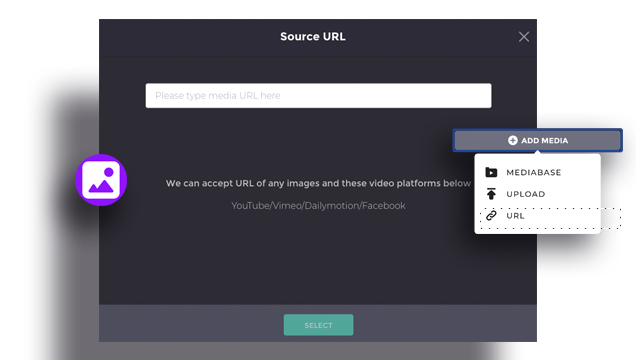
To add media resources, click the +ADD MEDIA. There are three ways to input media. You can use the resource provided by Gliastudio or you can upload images from your computer, more easily, you can paste the source URL to input by clicking the SOURCE URL.
2. Input URL
To use the online media resources (from Youtube/ Vimeo/ Dailymotion/ Facebook), input the source link you what to retrieve the video/ image.
3. Click the “SELECT”
Click the SELECT bottom, to move the online resource to your own media box,