Zoom Frame
Learn how to zoom in or our your video frame
How to zoom video
How to:
1. Adjust the video size
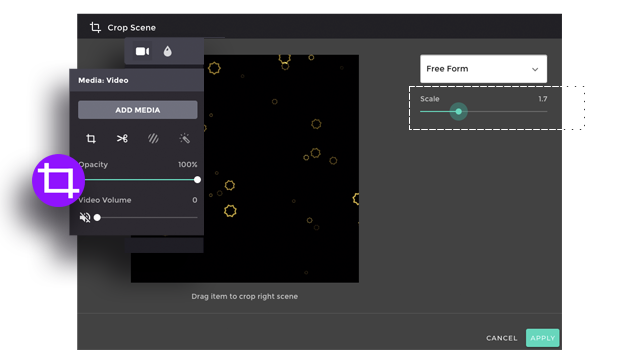
To zoom-in and zoom-out the video, go to the ”MORE EDITING” and then click “CROP”.
2. Select the zoom area
Choose the “Free Form” crop, you can easily move the “scale” bar to zoom-in and zoom-out the video.
3. Apply the change
Click “Apply” to save the change and close the editing box. Preview the edited version by placing the cursor on top of the clip. Simply redo the process if you are not pleased with the result.