Transition Effect
One of the keys to creating a great video is the clips that glide eloquently. Having several footages combined sometimes can be rough and tacky. It is an absolute nightmare for all video editors. Unite all of your video footages together by applying the transition effect of your choice!
How to make your video transitioning smoothly
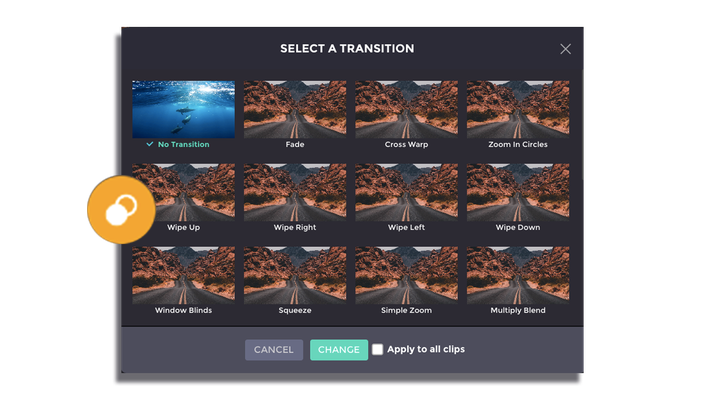
How to:
1. Preview the transition
Place the cursor on top of the transition selection to preview before applying the effect.
2. Choose the transition
Choose the transition that you want to apply to your video clip. Thick “Apply to all clips” if you wish to use the same transition for the whole video.
3. Apply the transition
Be sure to click ‘Change’ apply the transition effect before progressing to the nex